
Work-in-Progress (WIP) accounts are essential components of accounting systems for businesses involved in
Work-in-Progress (WIP) accounts are essential components of accounting systems for businesses involved in manufacturing or service-based operations. These accounts allow organisations to monitor the value of unfinished goods or services, ensuring accurate financial reporting and better project cost management. With the introduction of WIP accounts in Odoo 18, companies can track ongoing expenses more effectively, leading to improved operational efficiency. Businesses seeking to enhance their financial control and streamline processes can now leverage ERP Software in Australia with Odoo 18 to achieve these goals.
Here’s a comprehensive look at how WIP accounts function in Odoo 18 and why they are crucial for businesses striving for better financial management.
What is the Importance of WIP Accounts in Odoo Accounting?
WIP accounts bridge the gap between raw materials and finished products. They represent the value of resources that have been allocated to ongoing projects or production processes but are yet to be completed. By accurately recording these values, businesses can:
How WIP Accounts Work in Odoo 18?
Odoo 18 introduces WIP accounts as part of its accounting module, offering businesses a systematic way to manage ongoing costs and comply with accounting standards. To configure WIP accounts in Odoo 18, follow these steps:
Accessing WIP Account Settings
Navigate to the Settings menu under the Odoo Accounting module. Within the Stock Valuation section, you’ll find the WIP Account Properties, which consist of:
WIP Account: Tracks the value of unfinished goods.
WIP Overhead Account: Records production-related costs like labour and work centre expenses.
Configuration in Odoo
You can access the configuration details by clicking the internal link of the account. For example:
The Work in Progress Account (code: 110500) is categorised as a Current Asset.
The Cost of Production Account (code: 110400) also falls under the Current Asset type.
Setting Up Bill of Materials (BoM) in Odoo 18
To demonstrate how WIP accounts integrate with manufacturing processes, you can create a new Bill of Materials (BoM) for a product. This involves:
Navigating to the Manufacturing module.
Selecting Product > Bill of Materials > New.
When creating a BoM:
Component Tab: Lists the raw materials required, along with their quantities.
Operation Tab: Defines the procedures and work centres needed for manufacturing.
For instance, if the product is a table, raw materials like table legs, screws, and bolts will be listed under the Component Tab, while assembly operations may be defined in the Operation Tab.
Creating and Managing Manufacturing Orders
Once the BoM is configured, you can create a new manufacturing order in Odoo 18:
Go to Operations > Manufacturing Order > New.
Select the product and its corresponding BoM.
The system will automatically populate the raw materials and operations required for production.
Confirm and Start Production: Once the manufacturing order is confirmed, you can track its progress. Use the Start, Pause, and Done buttons to manage work orders effectively.
Posting WIP Accounting Entries
As production progresses, WIP accounting entries can be posted to reflect the ongoing costs. In Odoo 18, this is a straightforward process:
Click the gear icon on the manufacturing order page.
Select Post WIP Accounting Entry from the dropdown menu.
Key Accounts in WIP Entries
When posting WIP accounting entries, the following accounts are involved:
Stock Valuation Account: Reflects the cost of consumed components.
For example, if raw materials like screws and bolts worth $430 are used, this amount is credited to reduce the asset value.
WIP Overhead Account: Includes the cost of production, such as work centre and employee expenses.
For instance, if the work centre cost is $250/hour and the employee cost is $100/hour, the total production cost for an hour will be $350.
Work in Progress Account: Shows the combined value of production and component costs, which is debited as the asset value increases.
By posting WIP entries, businesses can ensure that ongoing costs are accurately recorded in their financial statements.
Managing Multiple WIP Entries
Odoo 18 allows businesses to handle WIP accounting for multiple manufacturing orders in bulk. Simply:
Select the manufacturing orders in progress.
Use the Action button to choose Post WIP Accounting Entry.
The system will display journal entries for all selected orders, making it easy to manage multiple projects simultaneously.
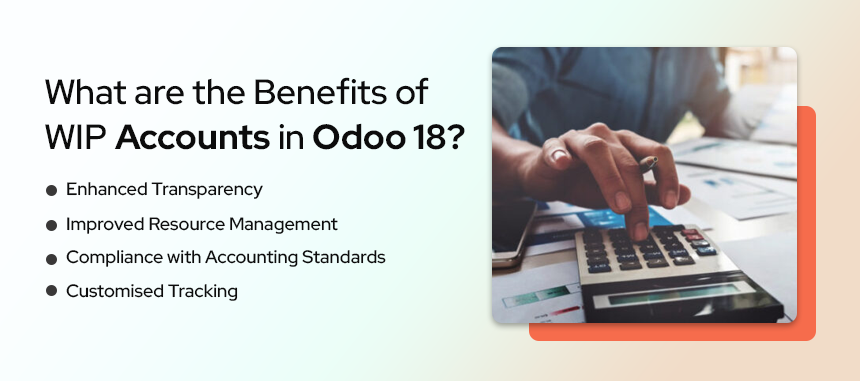
What are the Benefits of WIP Accounts in Odoo 18?
Odoo 18’s WIP accounting feature offers several advantages for businesses using ERP software in Australia or globally:
Why Does Your Business Need WIP Accounting?
For manufacturing or service-based companies, maintaining a clear distinction between completed and ongoing work is vital for accurate cost management and profitability analysis. Without WIP accounts, businesses risk overstating or understating their assets, leading to skewed financial reports.
Odoo 18’s WIP functionality simplifies this process, offering an integrated solution to track production costs in real time. By leveraging this feature, businesses can make data-driven decisions and optimise their operations for better financial outcomes.
Work-in-progress accounts in Odoo 18 are indispensable for businesses aiming to streamline their accounting processes and gain deeper insights into ongoing production or project costs. By offering real-time tracking and accurate financial reporting, these accounts play a crucial role in enhancing operational efficiency and decision-making.
If your business seeks a robust ERP solution, Odoo, combined with the expertise of Envertis, can be your ideal partner. Let Envertis help you harness the full potential of ERP software in Australia to transform your business processes.

Get free consultation and let us know your project idea to turn it into an amazing digital product.

Se 506, 8 Help Street, Chatswood, NSW 2067
324 Queen Street, Brisbane, QLD 4000
171 Collins Street, Melbourne, VIC 3000