
Features of Odoo 17 Community Edition
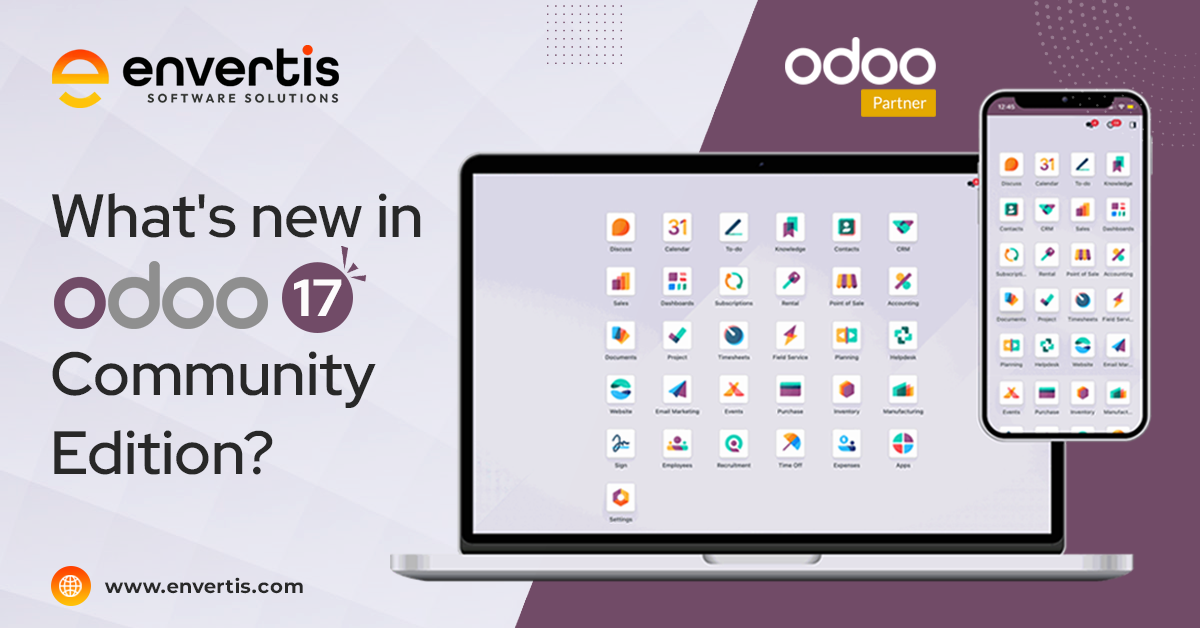
Odoo, a widely used free software for managing businesses called Enterprise Resource Planning (ERP), has just launched its Odoo 17 Community Edition. This new version comes with many fresh additions and improvements aimed at making your business smoother and helping it grow.
This update introduces several new features and enhancements to Odoo ERP 17 Community Edition, offering tools to better manage your company’s resources and processes. Also, these improvements are designed to simplify tasks and boost productivity across various departments, from sales and marketing to finance and human resources.
With Odoo ERP 17 Community Edition, you can expect a more efficient and streamlined experience in managing your business operations. Whether it is optimising inventory management, improving customer relationship management, or enhancing project planning, Odoo 17 Community Edition provides the tools to help your business thrive.
Upgrade to Odoo ERP 17 Community Edition to take advantage of these new features and propel your business towards success. Now, let’s dive into the new enhancements of Odoo 17 Community edition shared by an expert in Odoo ERP in Australia.
Features of Odoo 17 Community Edition
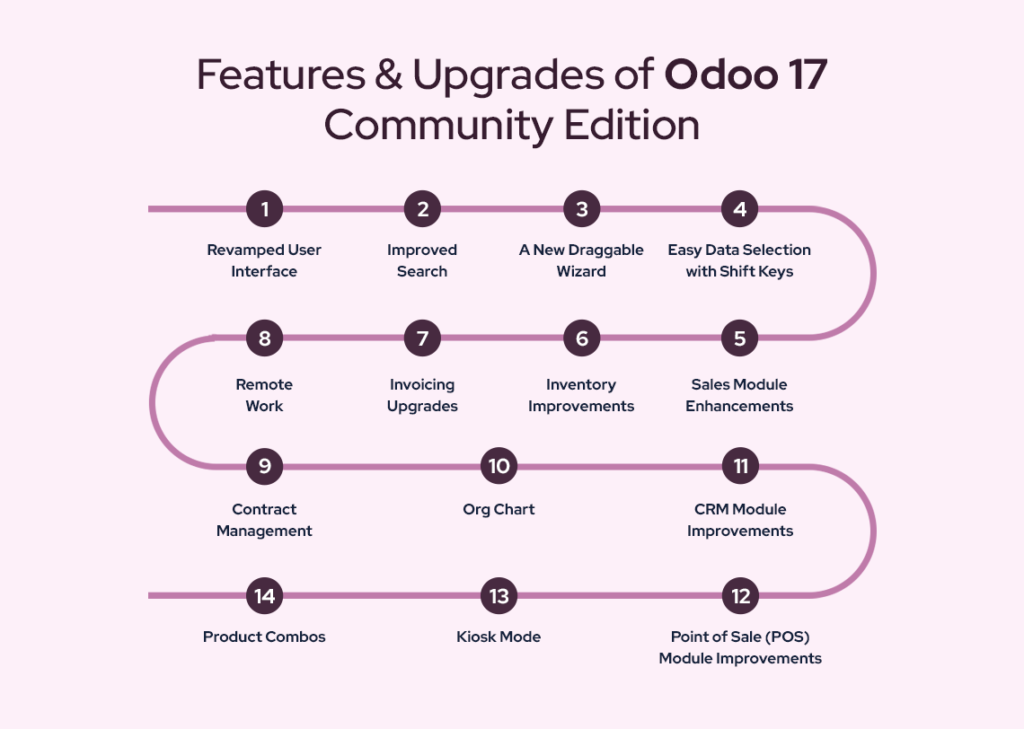
Revamped User Interface:
Odoo ERP 17 Community Edition now comes with a brand-new appearance, focusing on making everything look nicer and easier to use. The interface, which includes how things like buttons and templates look, has been given a modern makeover to match what is trendy in design right now. So, whether you are creating invoices, quotes, or marketing materials, you will see cleaner and more professional templates that make your work look top-notch.
Improved Search:
Also, finding things in Odoo ERP 17 Community Edition just got a whole lot easier with its revamped search feature. It is like giving the search function a makeover, making it look and work better than before. Now, users can quickly find whatever they need without getting lost in a sea of information. Moreover, the search interface has been polished up to help you locate what you are looking for faster and with less hassle. So, whether you are searching for a specific product, customer, or document, Odoo 17 has got your back with its enhanced search interface.
A New Draggable Wizard:
A cool new feature in Odoo ERP 17 that lets you easily move around those pop-up dialog boxes on your screen. With this feature, you can click on the wizard dialog box and drag it wherever you want on your screen without any hassle. It is like rearranging furniture in your room – just grab and move. This makes it super convenient to organise your workspace and keep everything exactly where you need it. So, whether you are filling out forms or managing tasks, the Draggable Wizard puts you in control of how your screen looks and feels. It is a small change that can make a big difference in your user experience.
Easy Data Selection with Shift Keys:
In Odoo 17 Community Edition, picking out data just got easier. Now, you can use the Shift keys to select multiple items all at once. It is like when you want to grab a bunch of things in one go instead of picking them up one by one. This handy feature makes it quicker and simpler to choose lots of things within the app. Whether you are selecting multiple files, messages, or anything else, just hold down the Shift key and click away to select them all. It is a small adjustment that makes a big difference in how smoothly you can work with your data in Odoo ERP 17.
Sales Module Enhancements:
With these upgrades, managing sales in Odoo 17 Community Edition is more straightforward and more informative. Whether you are adding products to orders or digging into your sales data, these enhancements make everything smoother and more insightful.
Click to know more about
“Odoo 16 Vs Odoo 17 – Know the major differences between the two.”
Inventory Improvements:
Odoo 17 Community edition comes with some cool updates to help you manage your inventory better.

Invoicing Upgrades:
Odoo 17 Community Edition also has made some amazing changes to the invoicing module to make managing your finances easier.
With these improvements, managing your invoices and keeping tabs on your finances in Odoo 17 Community just got a whole lot simpler and more insightful.
Features That Empower Your Team:
Odoo 17 has some exciting new features to help your employees work better and smarter.
With these enhancements, Odoo 17 makes it easier for your employees to work remotely, manage contracts, and understand your company’s structure, ultimately empowering them to do their best work.
CRM Module Improvements:
In Odoo 17, the CRM module is even better with a new feature that’s the ‘Activity Planning’ feature. This means you can now plan out what you need to do for each lead you are trying to turn into a customer. It is like making a to-do list specifically for each potential sale.
With Activity Planning, you can strategically schedule and keep track of all the tasks and actions you need to take to win over a lead. Whether it is making a phone call, sending an email, or setting up a meeting, you can organise it all in one place.
This feature helps businesses stay organised and ensures that no important step in the sales process gets overlooked. By planning out activities ahead of time, you can better manage your time and resources. And this can ultimately increase your chances of converting leads into customers.
So, with Odoo 17’s CRM module enhancements, businesses can streamline their sales process and work more efficiently towards closing deals.
Point of Sale (POS) Module Improvements:
Kiosk Mode: A cool new feature in the POS module is the “Kiosk Mode.” This lets customers easily order by scanning a QR code. It is like having a digital menu right at their fingertips, making ordering quick and convenient.
Product Combos: Another handy addition is “Product Combos.” Now, customers can pick from pre-made combinations or packages at a special price. It is like getting a deal when you buy certain items together. This gives customers more options and helps them save money.
What’s common between Odoo 17 Community and Enterprise Editions?
Well, think of Odoo Community as the foundation for Odoo Enterprise. Odoo Enterprise is like a superior version of Odoo Community, with extra features called proprietary applications. So, everything you see in Odoo Enterprise actually starts from the Odoo Community. Moreover, they share the same basic features like the database, main apps, and core functions.
Now, let’s look at how they are structured:
So, while Odoo Community and Enterprise have their differences, they share a lot in common. And, this makes them both powerful tools for managing businesses.
Odoo 17 Community Edition comes packed with enhancements to make running your business smoother and more successful. Also, whether you are handling sales, inventory, invoicing, employee management, CRM, or point of sale operations, Odoo 17 Community Edition has the tools to help you out. So, upgrade now and see how much easier managing your business can be.
As one of the official partners of Odoo ERP in Australia, Envertis is your go-to for Odoo services. With our skilled team of Odoo experts, we are here to assist you with all your Odoo needs.
Read more about
“Roles & Responsibilities of an Odoo Consultant. “

Get free consultation and let us know your project idea to turn it into an amazing digital product.

Se 506, 8 Help Street, Chatswood, NSW 2067
324 Queen Street, Brisbane, QLD 4000
171 Collins Street, Melbourne, VIC 3000